When creating a subdomain in cPanel, you’ll need to specify three key details:
-
The name of the subdomain.
-
The domain the subdomain will belong to.
-
The document root (the directory from which the subdomain will load its content).
Note: Certain subdomain names are reserved and cannot be used, including: mail, www, ftp, cpanel, whm, webmail, and webdisk. Make sure to choose a unique name that isn’t on this list.
How to Create a Subdomain
-
Log in to cPanel and navigate to the “Domains” section.
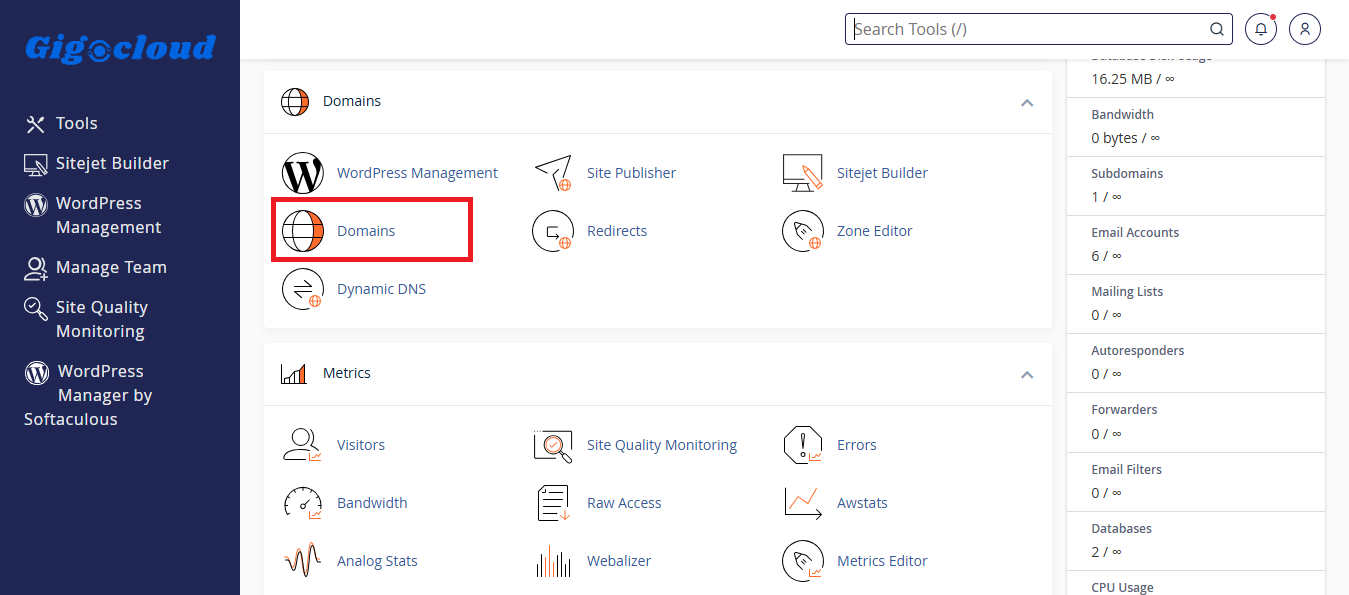
- Click on “Domains”. A page will appear displaying a list of existing subdomains (if any have been created previously).
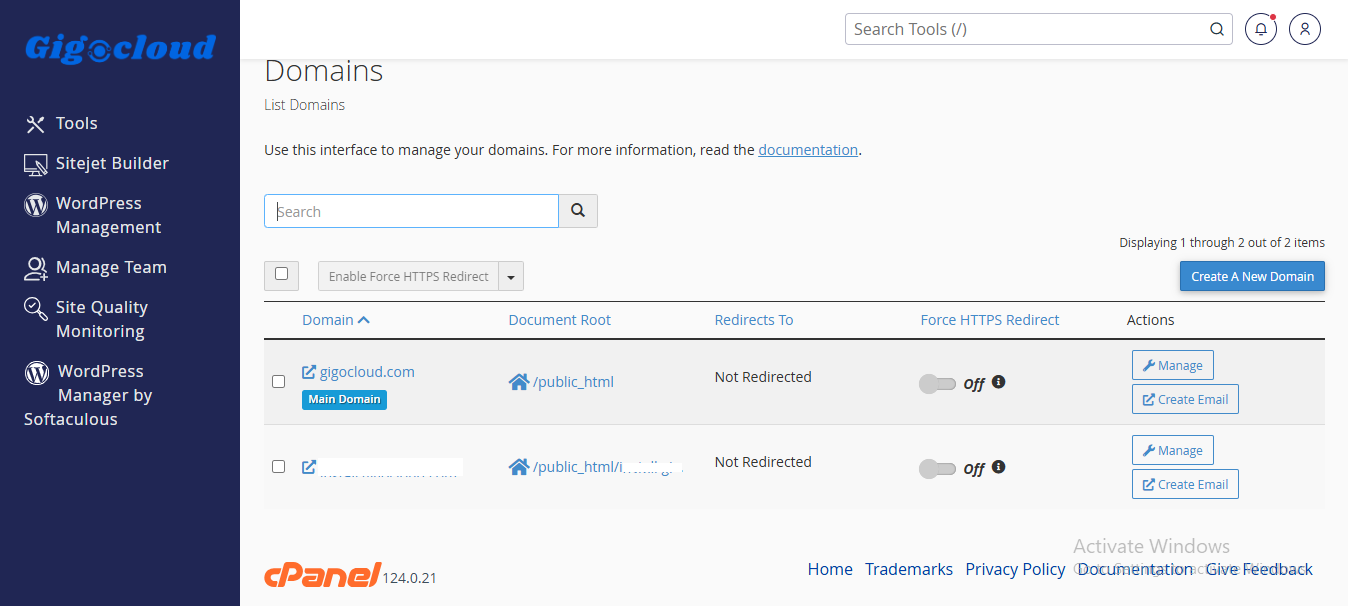
-
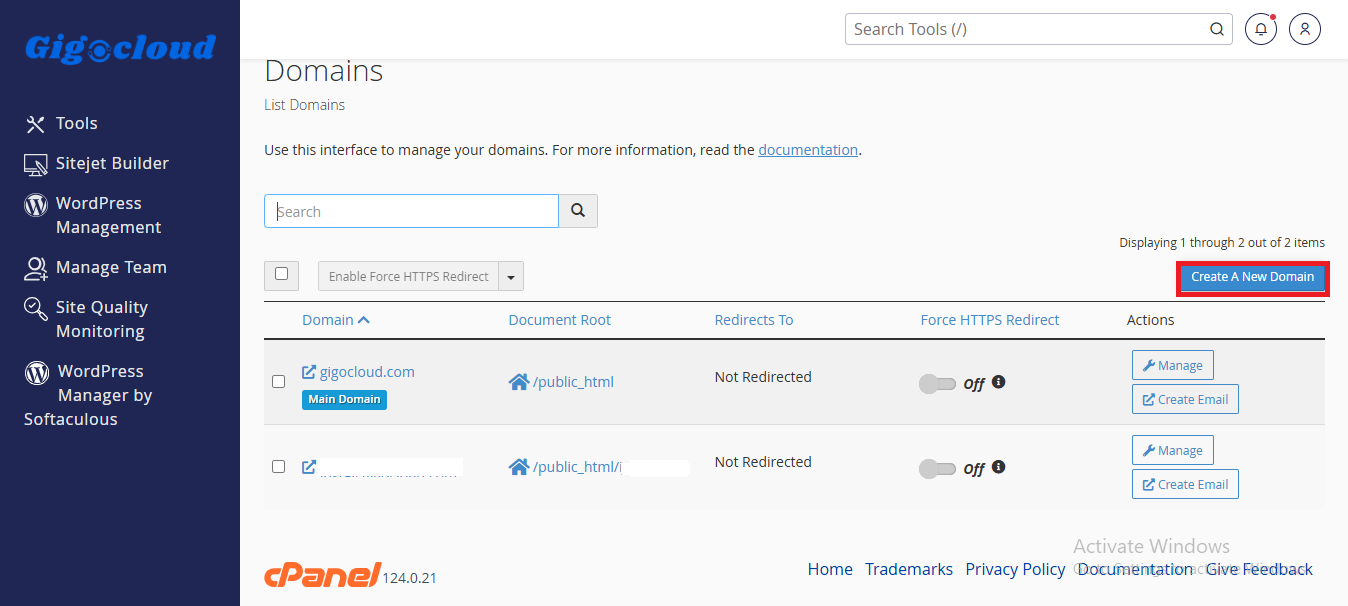
Click the “Create A New Domain” button.
-
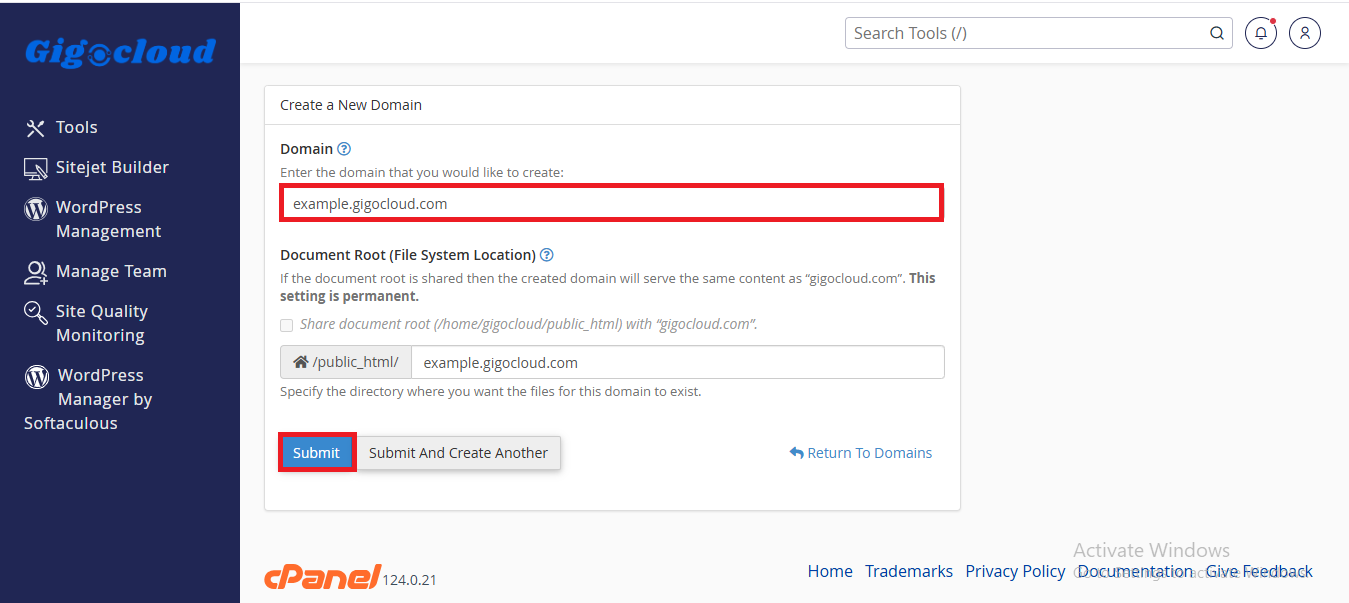
Enter the name of the subdomain you want to create in the provided text field (e.g., example.mydomain.com).
-
Do not check the “Share document root” checkbox. Enabling this option will make the subdomain serve the same content as the primary domain, and this setting cannot be changed later.
-
Click Submit to create the subdomain.